I built an intake app that turns a warehouse photo into a routing decision.
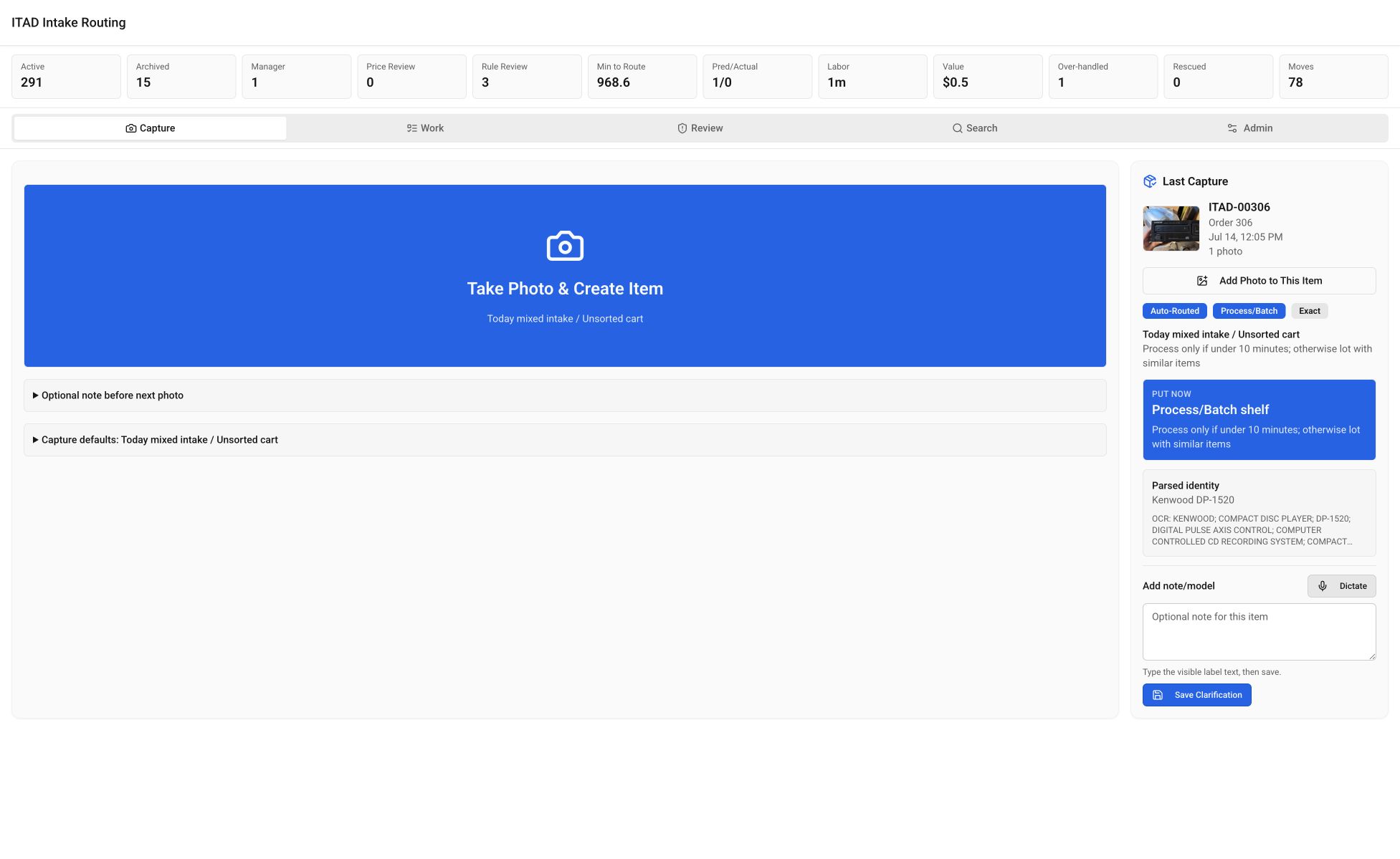
Vision and OCR propose an identity. Pricing and handling rules propose a route. A manager handles weak evidence, and the technician sees the physical shelf move.
manager decisions in the first shadow comparison
A dated production sample
manager agreement in that sample
16 agreements and 22 overrides
physical handling classes
Compact through oversized
private photo retention
ITAD photos stay out of Google Drive
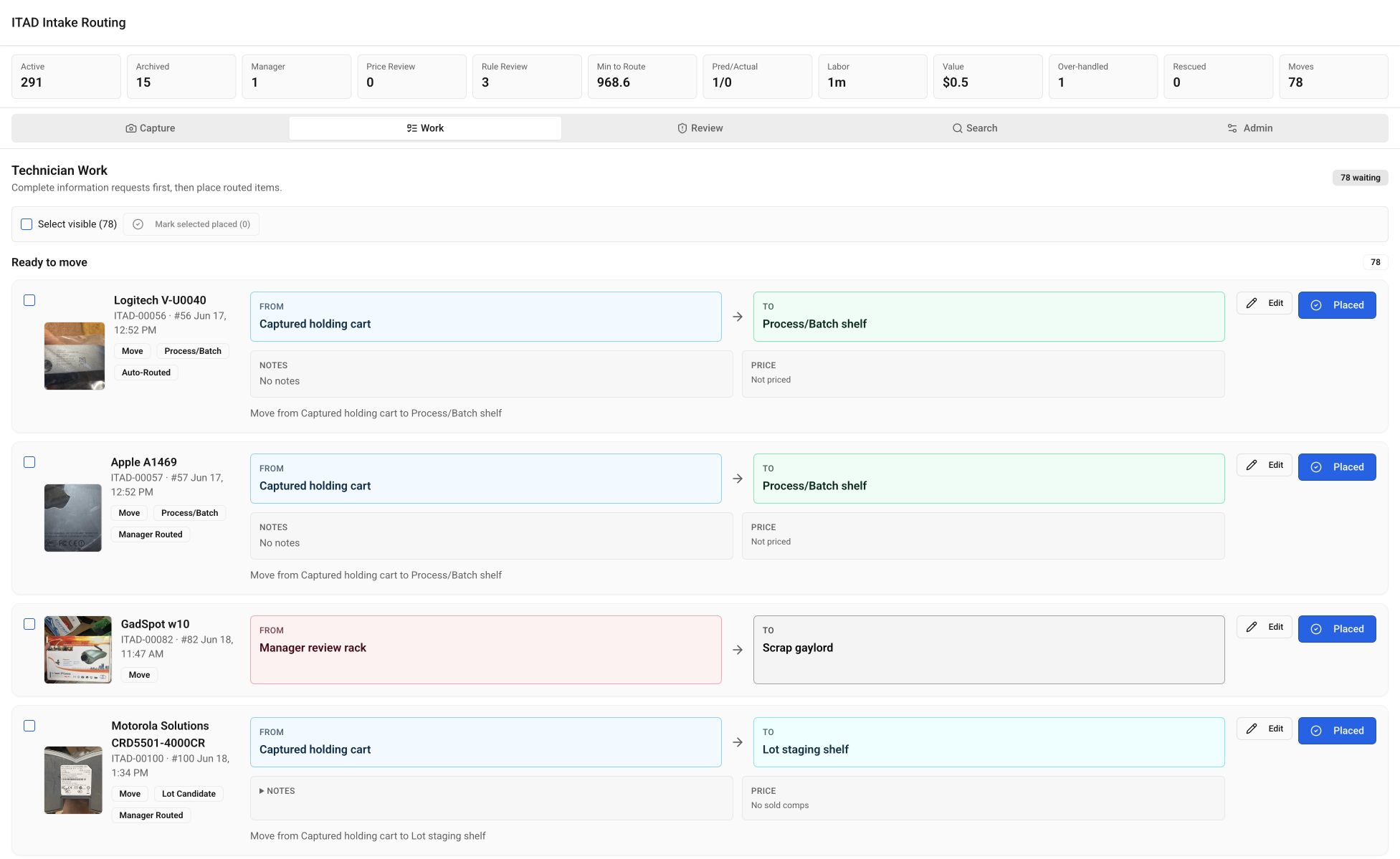
Technician Work shows the shelf move.
Mixed electronics arrive faster than a manager can research each one. The technician needs an identity, a labor decision, and a destination.
The Capture tab keeps the camera above the fold and remembers the stream, bin, and operator. The technician can take the next photo while identification and pricing run. If the connection drops, IndexedDB keeps the captures and replays each request once.
Technician Work turns the route into a From → To shelf move. Items can go to process/batch, lot staging, parts, scrap, or manager review. The operator confirms placement.
Handling class changes the labor threshold.
Compact and portable items can qualify for individual processing at $30. Shelf items use $50, bulky items $55, and oversized items $125. The scrap ceiling is one-third of the processing threshold. These are rules for this warehouse, not general appraisal advice.
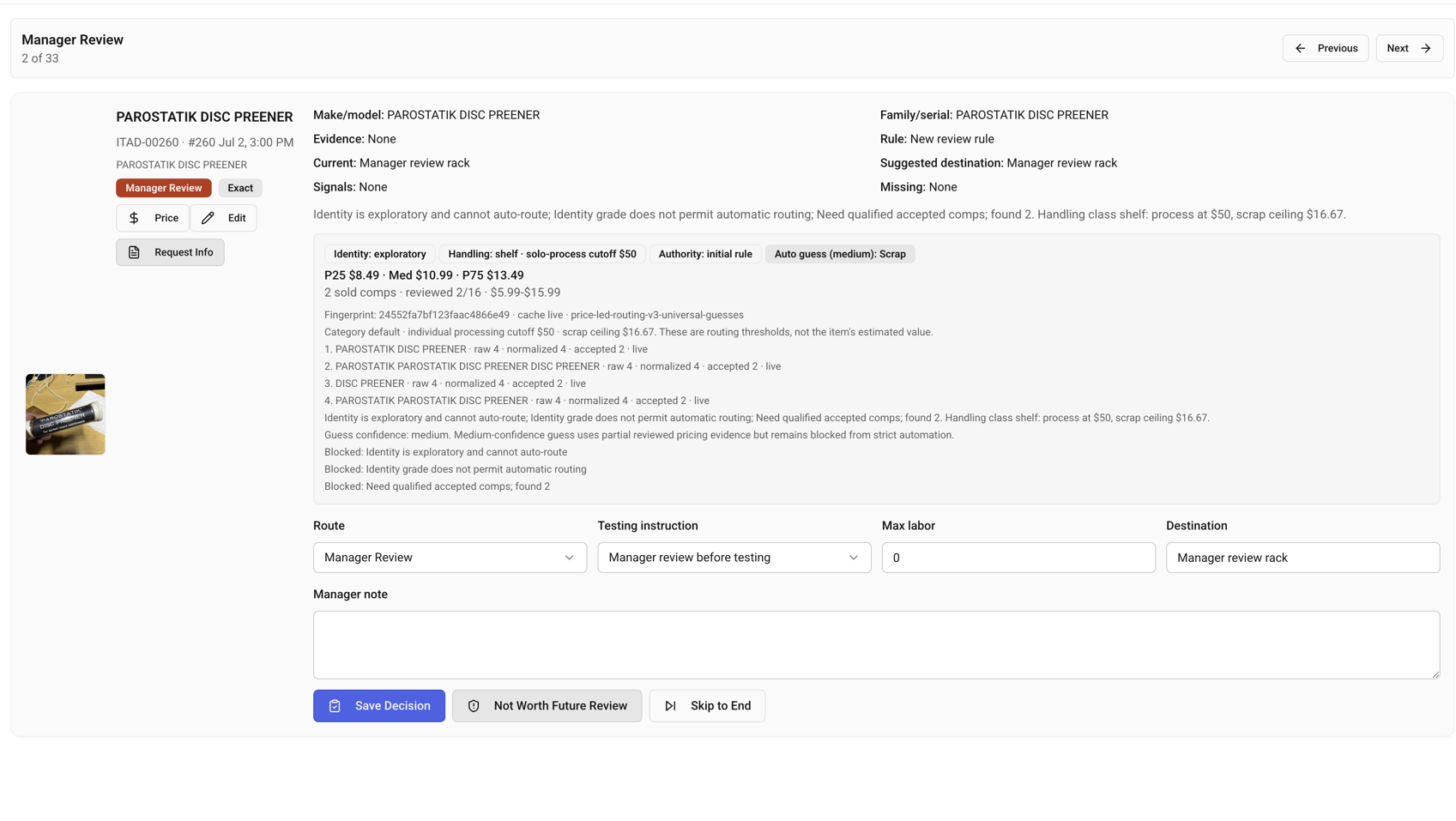
A manual handling classification outranks inference. Data-bearing risk blocks automatic scrap. Weak identities, thin comp sets, and consequential exceptions go to Manager Review.
The review screen puts the identity grade, handling threshold, price evidence, query attempts, proposed route, and blockers in one place. A manager sets the route, testing instruction, labor limit, and destination. Later pricing cannot overwrite that decision.
- Compact / portable
- $30 process · $10 scrap ceiling
- Shelf
- $50 process · $16.67 scrap ceiling
- Bulky
- $55 process · $18.33 scrap ceiling
- Oversized
- $125 process · $41.67 scrap ceiling
Managers overrode 22 of the first 38 proposals.
In the first dated shadow comparison, managers agreed with 16 of 38 proposals and overrode 22. The system proposed Lot Candidate 32 times. Managers chose Process/Batch 17 times, Lot Candidate 15 times, and Scrap 6 times.
Fourteen items moved from Lot to Process/Batch. Thirty-two had zero accepted comps and low-confidence guesses, so I kept the system in shadow mode and started collecting outcome data.
Higher-effort vision improved several identities in a separate 30-item test. The review rules continued to hold all 30 items.
Production load exposed three separate failures.
The first state design embedded full photo data. With 16 items, the store reached about 44 MB and state calls took 5–9 seconds. Separating photo blobs reduced the observed production store to about 83 KB, with repeated state calls in the 1–3 ms range during that deployment window.
At 326 items and 367 photos, the UI requested nearly every thumbnail at once. Short caching caused request storms, and disabled retries could leave the page stuck. The fix loads thumbnails near the viewport, uses long caching on versioned URLs, retries state queries, and gives the operator a visible Retry action.
Reprocessing introduced bogus year-like models, weaker price queries, duplicated OCR, and timeouts. Generic-model rejection, OCR caps, prior-identity preservation, and controlled batches produced six identity-grade improvements with zero regressions in the next 29-item run.
What remains unmeasured or unresolved.
- Current thresholds encode one operation and should not be presented as universal appraisal rules.
- Price providers and model calls can time out or change behavior.
- Manager agreement measures agreement, not resale value or profit.
- SQLite on one Fly volume is a deliberate single-machine architecture.
- Current per-item labor, adoption, API cost, and realized financial impact remain unmeasured.